
This article is about loading filament into the Ultimaker 3 3D printer. Make sure to check the model of printer you are using (There is a large label on the front left of the machine) as the instructions for Ultimaker 2 is a little different [LINK]
Ultimaker 3 Extended Loading Filament
-
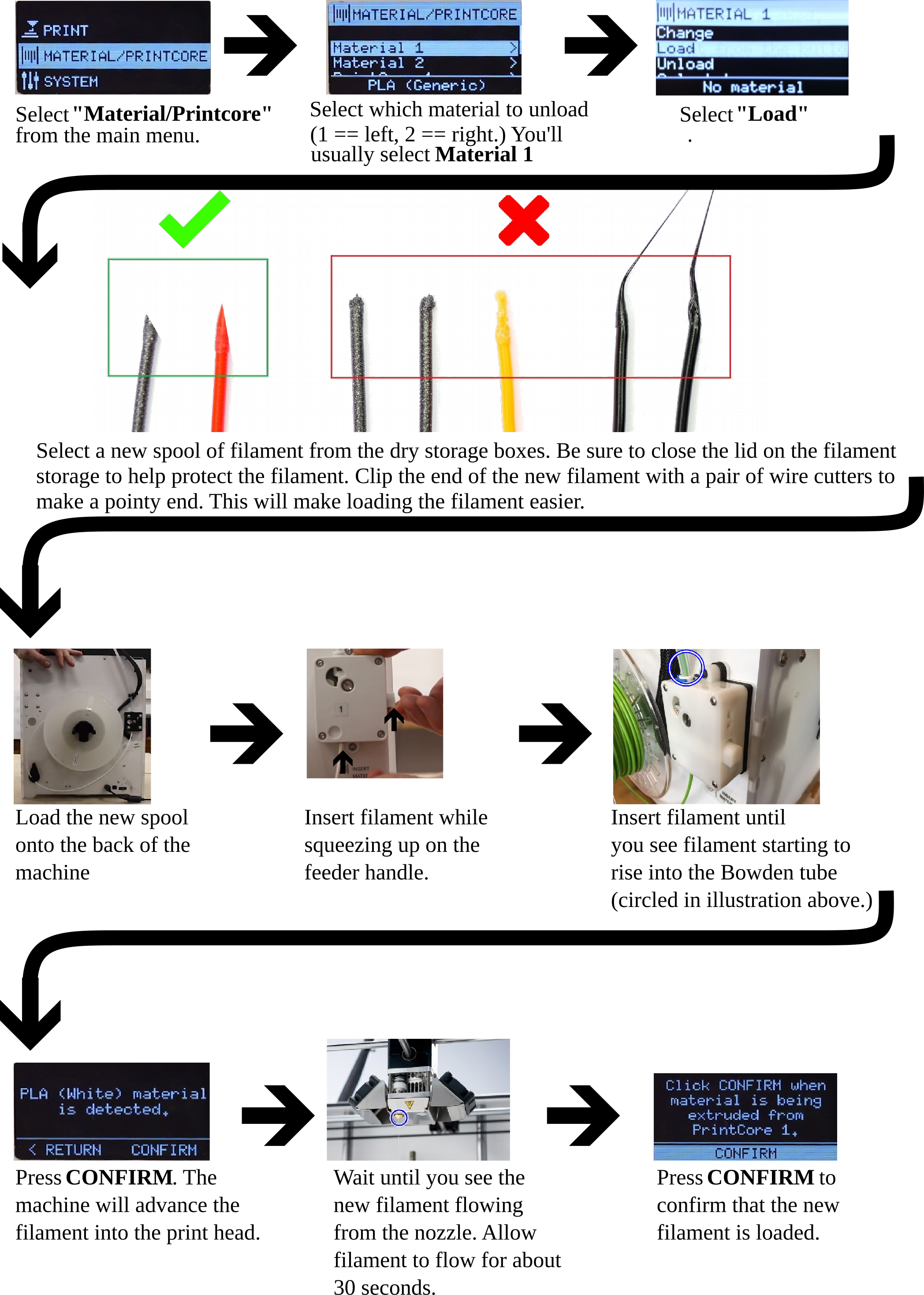
Now that there is no filament loaded into the machine, you can load the filament of your choice. Just follow the steps below.
Now that you've loaded your filament, you're ready to print! You might be interested in continuing to read Printing [LINK]
Comments
0 comments
Please sign in to leave a comment.