
This article is about unloading filament from the Ultimaker 2, Ultimaker 2+, and Ultimaker 2 Extended 3D printers. If you are trying to load filament into the printer you might like to read How do I Load Filament in the Ultimaker 2 [LINK]. Make sure to check the label on the front of the printer to make sure you are using an Ultimaker 2 printer as the instructions for the Ultimaker 3 are a little different [LINK]
Ultimaker 2/2+/2 Extended Unloading Filament
When you complete your print, or if there is already a filament other than the one you want to print with you will need to unload the filament. This is a simple process you can do by following a few simple steps.
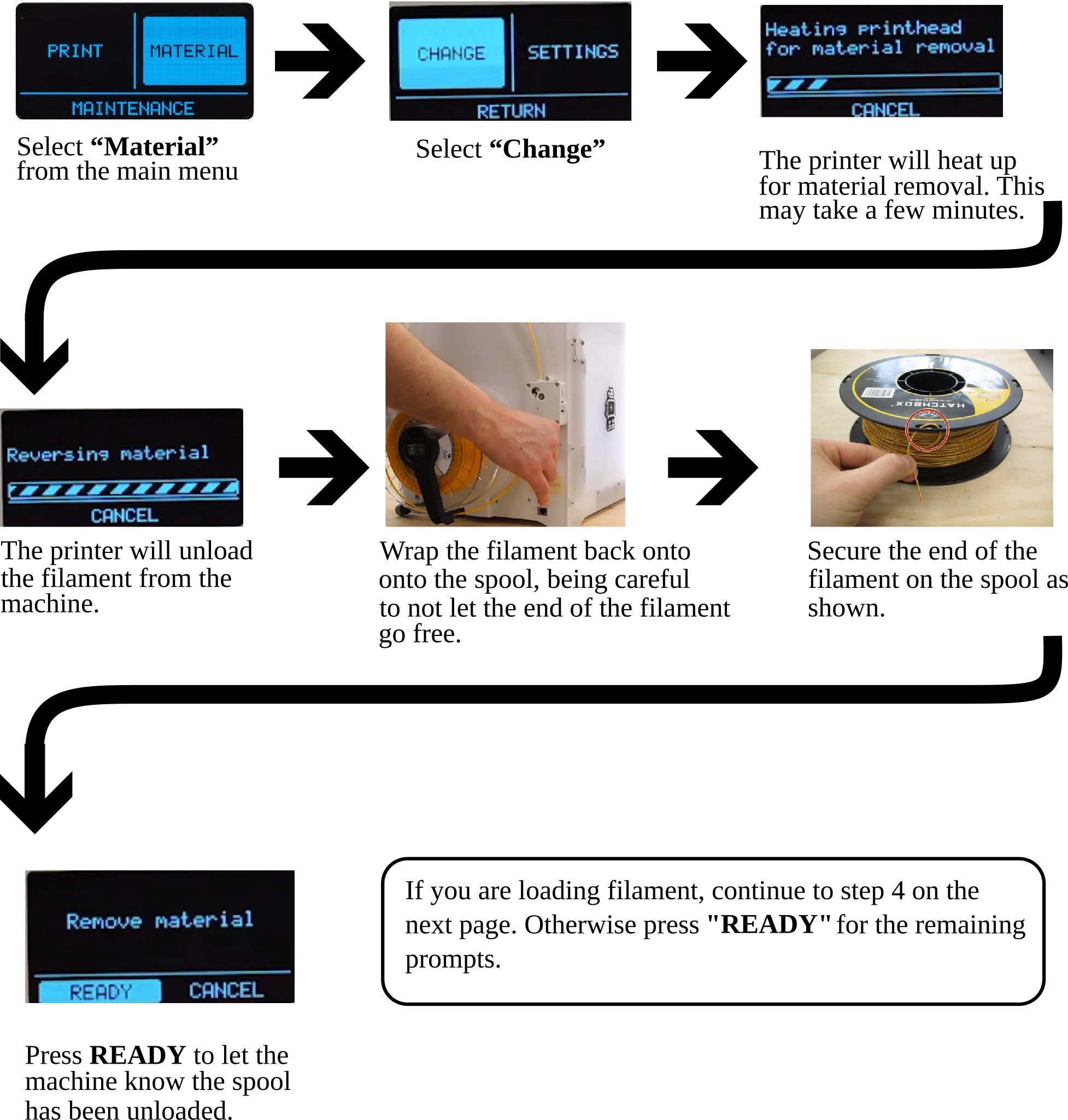
Now that you've unloaded the filament, you might want to load a different color of filament. You might be interested in continuing to read Ultimaker 3 Extended Loading Filament [LINK]
Comments
0 comments
Please sign in to leave a comment.