
Follow the steps below to run updates on your computer. Keeping your computer up to date is important to avoid issues from the lack of driver and software updates. These can include issues with printing.
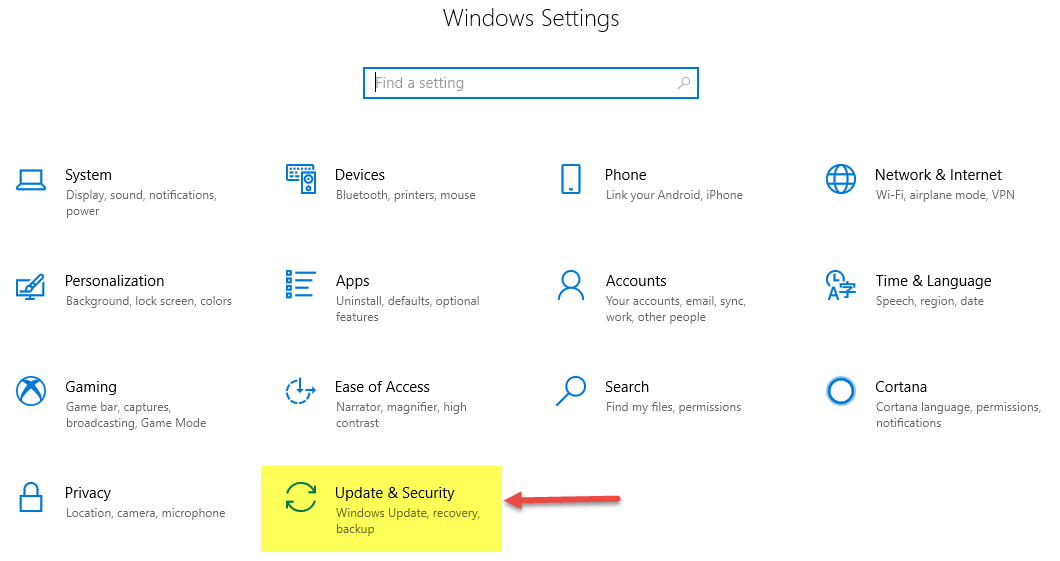
- Go to Start >Settings.
- Click Update & Security
- Click Check for updates
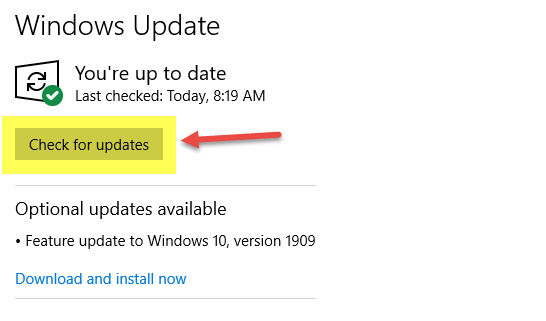
- Allow your computer to download and install any recognized updates.
- This step may require you to restart your computer
- After restarting be sure to run the "Check for updates" again and again until your computer says you are up to date.
Comments
0 comments
Please sign in to leave a comment.