
Follow the steps in this article to lubricate an Ultimaker 3D printer. Lubrication monthly is recommended.
How do I lubricate an Ultimaker 3D printer?
Estimated Time: 5 minutes Difficulty: Extremely Easy
Materials Needed
- Lubricating Oil (We recommend Super Lube #51004 with PTFE)
- Lubricating Grease (We recommend MagnaLube-G)
- Paper Towels
Ultimaker recommends lubricating the rails of your printer every month and lubricating the z leadscrew every three months. Proper lubrication is an important part of ensuring accurate prints and extending the lifespan of your printer.
1) Preparation
- Turn off the printer.
- Unclip the build plate clips
- Remove your build plate and set it aside.
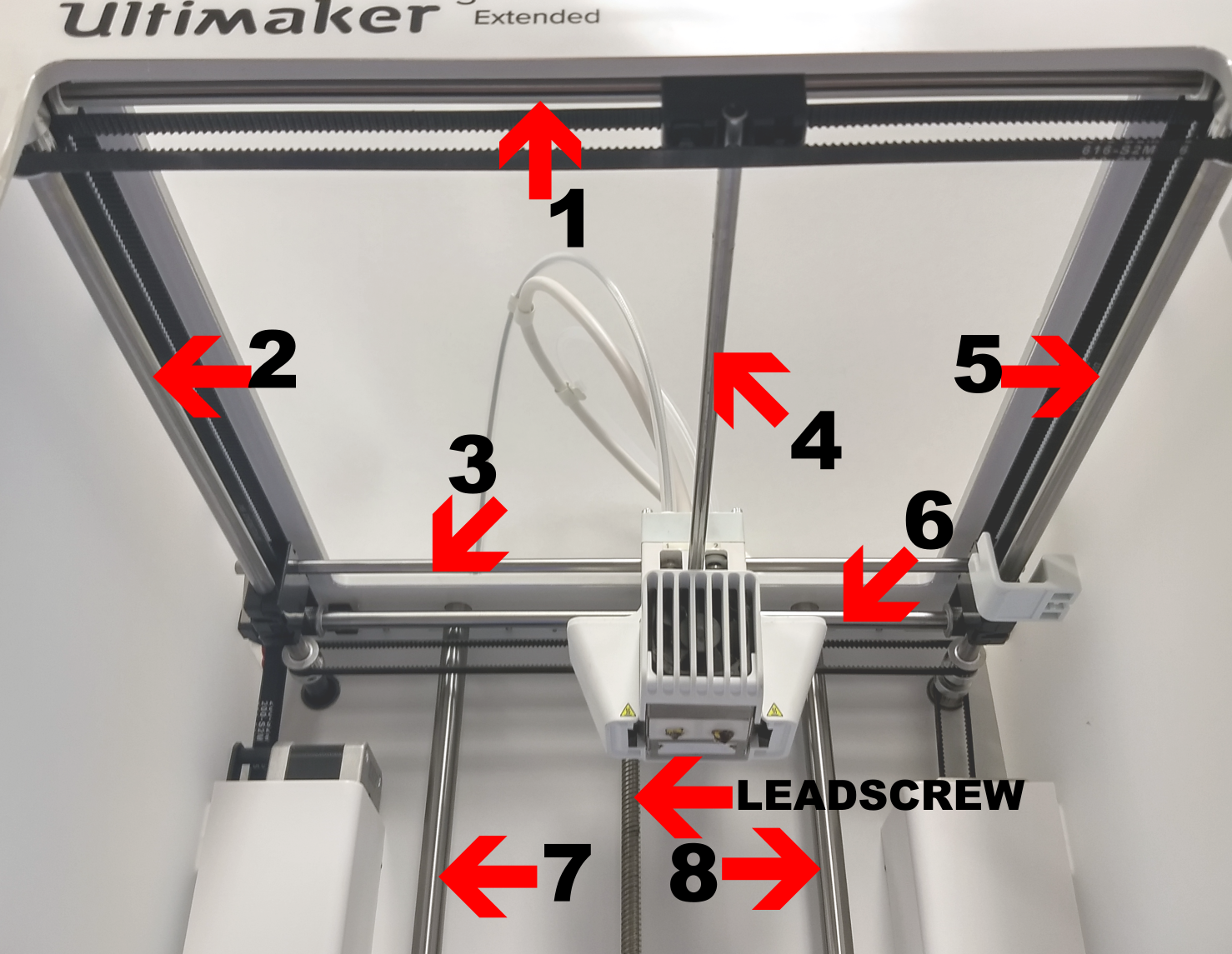
- Use a paper towel to wipe any built-up grease and dirt from the eight motion rails of the printer. Note - Dirt usually collects in rings near the end of the length of travel on the rails.
- Apply a small amount of lubricating oil along each rail. Note - We recommend Super Lube Multi-Purpose Synthetic Oil.
- Slowly move the print head in diagonal movements from rear left to front right and then from rear right to front left several times. This helps to spread the oil along the rail.
- Wipe down the leadscrew with a paper towel to remove excess grease and dirt.
- Apply a small amount of grease near the bottom of the leadscrew. Note - We recommend Manalube-G.
- Slowly move the build platform up and down it’s length of travel to spread the grease along the leadscrew.
Comments
0 comments
Please sign in to leave a comment.