
Follow the steps below to clean the electrical contacts for the Ultimaker 3/3 Extended's printcores. This is a recommended annual maintenance item and you may need to do it again if the printer starts giving error messages about communicating with the printhead or about the printer taking too long to heat.
Cleaning Printcore Contacts
(Ultimaker 3 only)
Estimated Time: 4 minutes Difficulty: Extremely Easy
Materials Needed
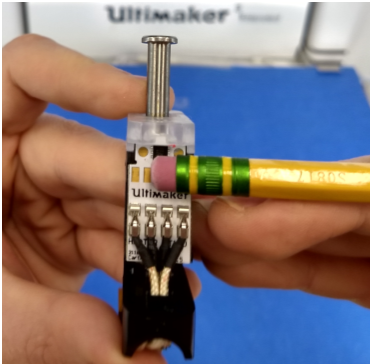
- A pencil with eraser
1) Clean the contacts
- On the printer select Material/Printcore->Printcore 1->Change.
- When prompted open the fan shroud (it swings down)
- Remove the printcore by squeezing the green blinking lever and the black lever directly below it.
- The printcore will slide forward.
- With a clean pencil eraser gently clean the gold electrical contacts on the back of the printcore with an erasing motion.
- Slide the printcore back into the printer. Note - You should hear a clicking sound when it is fully seated.
- Close the fan shroud and press “Confirm” on the printer.
Comments
0 comments
Please sign in to leave a comment.